Project Name
SIEM Threat Detection & Log Analysis Lab (Wazuh)
One-line Summary
Set up a two-VM SIEM lab using Wazuh to simulate an insider threat scenario, and got it to detect a new Windows user account being created in real time.
Full Description
I built this lab to get hands-on with how a SIEM actually works, not just read about it. The goal was to set up Wazuh to monitor a Windows endpoint and see if it could catch suspicious activity as it happened.
The setup was two virtual machines on a host-only network:
- Windows 10 VM — the monitored endpoint running the Wazuh Agent
- Ubuntu Server VM — the Wazuh Manager and Kibana dashboard
The main thing I wanted to understand was how logs flow from an endpoint through to the SIEM and how the alerting system works. It is one thing to know it happens, it is another to actually watch it in action.
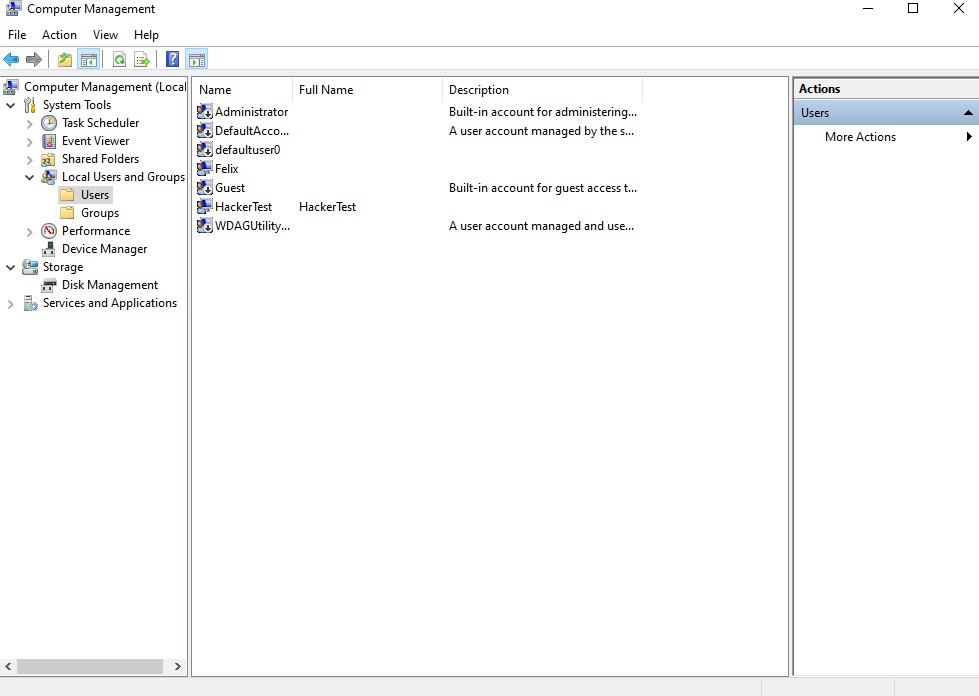
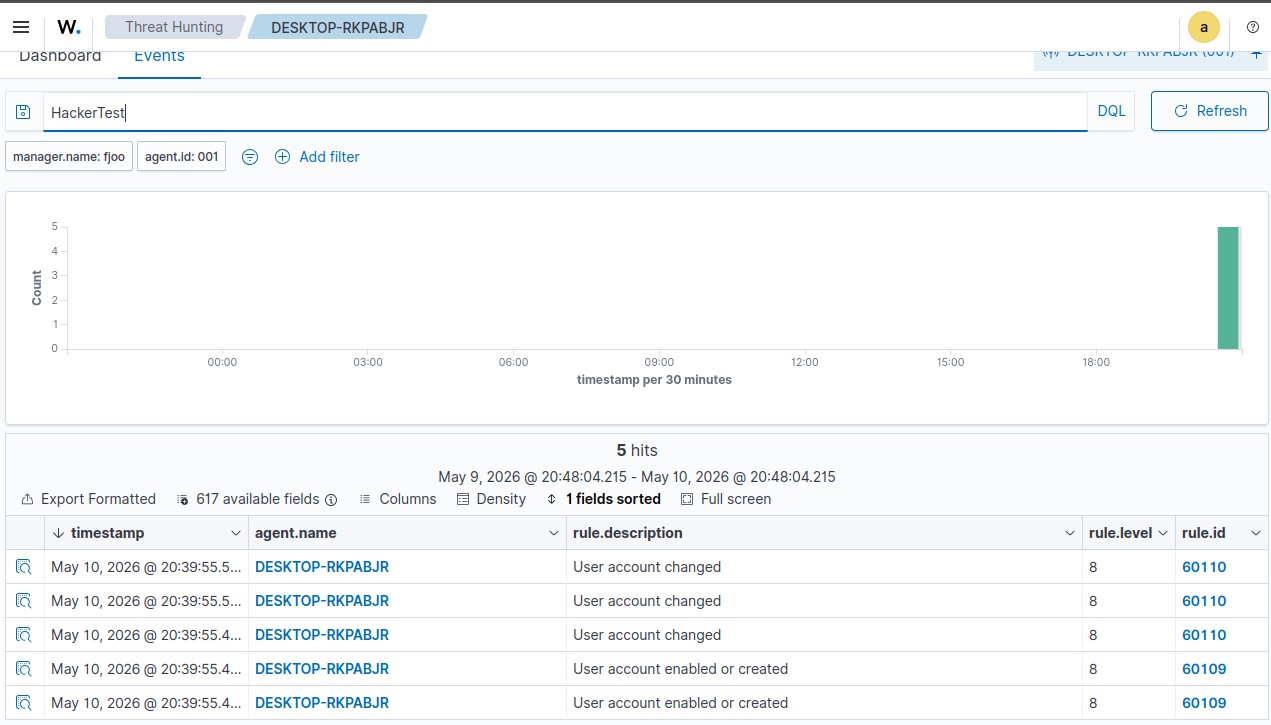
To test the detection, I created a new local Windows user account called HackerTest on the monitored machine. This triggered Windows Security Event ID 4720, which the Wazuh Agent picked up immediately, forwarded to the manager, and escalated as a Level 8 High-Severity alert.
This maps to MITRE ATT&CK T1136 — Create Account, which is a persistence technique attackers use to maintain access after an initial compromise.
Lab Architecture
- Windows 10 VM — Endpoint monitored by Wazuh Agent
- Ubuntu Server VM — Hosts Wazuh Manager, Elasticsearch, and Kibana dashboard
- Network Configuration — Host-only adapter keeping both VMs in an isolated local subnet
- Log Pipeline — Windows Event Log → Wazuh Agent → Encrypted Forwarding → Wazuh Manager → Alert Correlation → Kibana Dashboard
Assessment Methodology
- Deploy Wazuh Manager on Ubuntu Server
- Install and register Wazuh Agent on Windows 10 endpoint
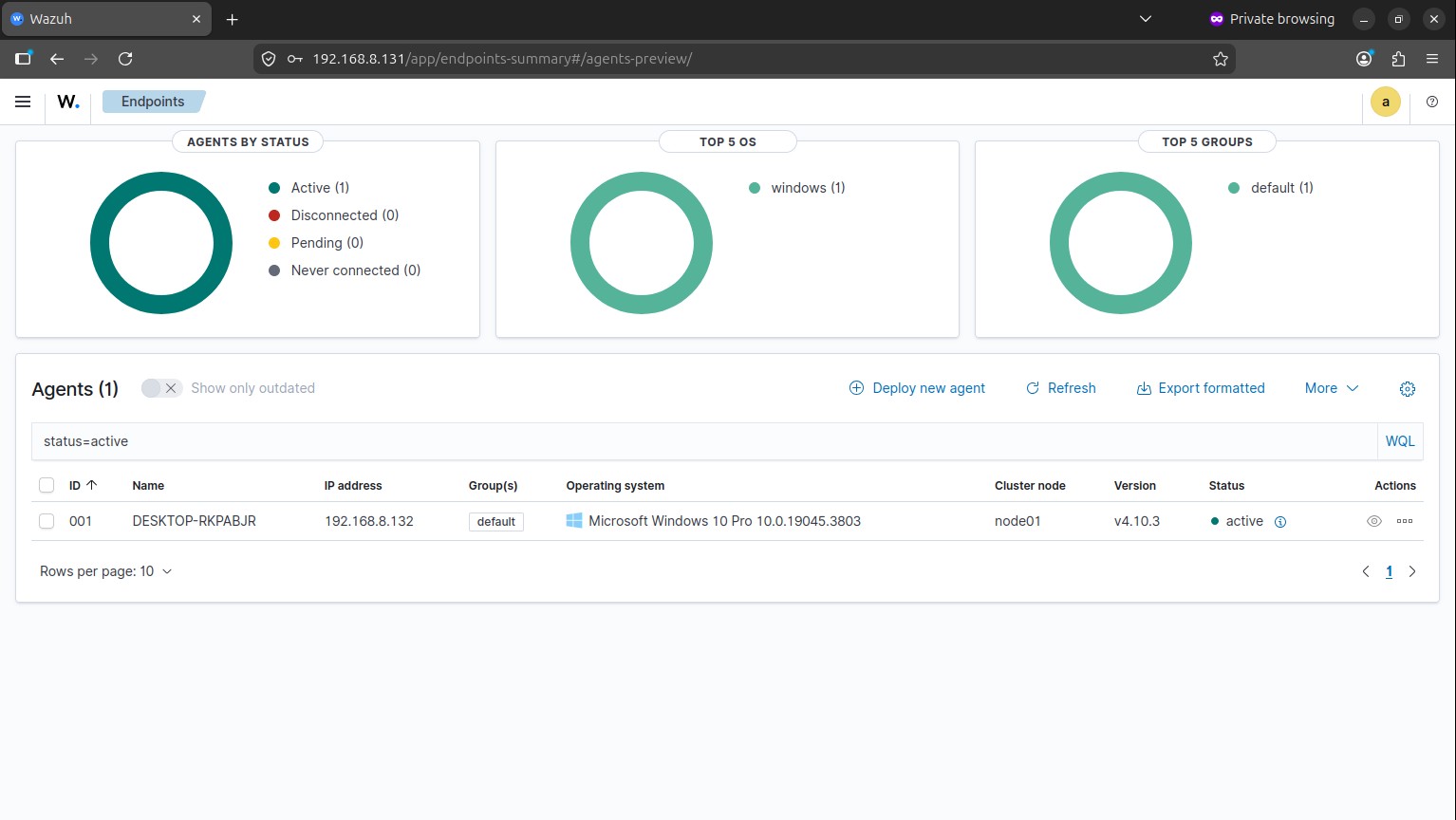
- Verify the agent and manager could communicate
- Simulate insider threat activity on the Windows machine
- Check the Windows Security Event Logs
- Watch the SIEM alert appear in real time
- Map the detected event to MITRE ATT&CK
- Review what defences could have stopped it
Execution
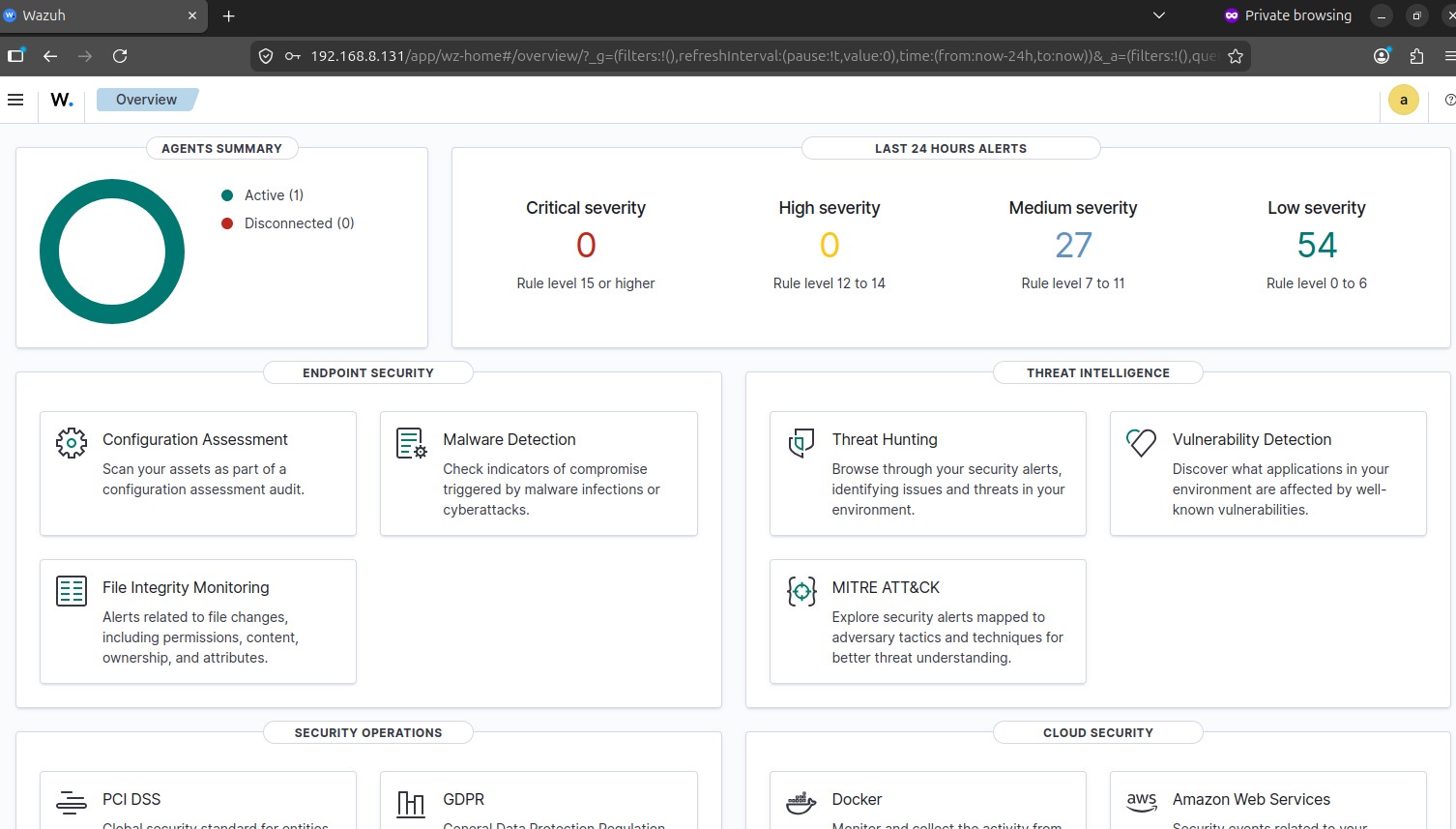
Once both VMs were set up and the agent was registered, I confirmed the connection was working through the Wazuh dashboard.
To simulate the attack, I created a new local user account on the Windows machine:
That immediately generated Event ID 4720 in the Windows Security logs.
The Wazuh Agent was already monitoring the event log in real time. As soon as the event appeared, it forwarded it to the manager, which matched it against Rule ID 60109 and raised a Level 8 High-Severity alert within seconds.
Seeing the alert pop up in Kibana almost immediately after running the command was a good moment. It made the whole pipeline feel real.
Alert Details
| Field | Value |
|---|---|
| Rule ID | 60109 |
| Event ID | 4720 |
| Severity | Level 8 — High |
| Technique | T1136 — Create Account |
| Account Created | HackerTest |
| Source Endpoint | Windows10-VM |
| Detection Platform | Wazuh SIEM |
Security Analysis
Creating extra user accounts is a common way attackers keep access after they are already in. If the original account gets locked or discovered, the backup account keeps them in the network. It is a simple technique but it works.
What this lab showed me is how quickly a SIEM can catch it when the monitoring is set up properly. The whole detection happened in real time without any manual log review.
It also helped me understand a few core SOC ideas in a practical way:
- Endpoint log collection
- Event normalisation and parsing
- Centralised alert correlation
- Threat detection engineering
- MITRE ATT&CK mapping
- Alert triage and investigation
Detection Opportunities
Things to watch for:
- Windows Security Event ID 4720
- Unexpected local administrator activity
- New user accounts being created without a change request
- Account creation happening outside normal business hours
Ways to defend against it:
- Set up automatic alerts for privileged account creation
- Write SIEM correlation rules for persistence-related behaviour
- Audit privileged accounts regularly
- Enforce multi-factor authentication
- Use endpoint monitoring tools like Wazuh, Sysmon, or Microsoft Defender
Recommendations
- Monitor endpoints continuously — Keep an eye on Windows Security Event Logs for anything persistence-related like account creation or suspicious logins.
- Least privilege — Limit who can create local accounts so there are fewer opportunities for this kind of activity.
- Centralised SIEM — Aggregate logs from all endpoints in one place so nothing slips through.
- Multi-factor authentication — Reduces the damage if credentials get compromised.
- Regular account audits — Periodically check for accounts that should not be there.
Tools & Technologies Used
- Wazuh SIEM (Manager + Agent)
- Kibana Dashboard
- Ubuntu Server
- Windows 10
- PowerShell
- Windows Event Viewer
- VirtualBox
Key Skills Demonstrated
- SIEM Deployment & Configuration
- Endpoint Monitoring
- Log Collection & Forwarding
- Threat Detection
- Alert Triage
- MITRE ATT&CK Mapping
- Windows Event Log Analysis
- SOC Workflow Understanding
- Defensive Security Operations
This project gave me a much better feel for how SIEMs work in practice. Setting it up from scratch, watching the agent connect, and then seeing a real alert fire in the dashboard made the whole thing click in a way that just reading about it never did.