Project Name
Wireshark Traffic Analysis 2 — Identifying a Compromised Host
One-line Summary
Independently analysed a 39 MB packet capture to find a compromised Windows machine in an Active Directory network, using traffic patterns, host metadata, and authentication logs to piece it together.
Background
This one was different from the first Wireshark project. Instead of working through guided questions, I was handed a large packet capture and had to figure things out on my own. No hints on where to look or what to filter for.
The environment was set up to look like a small enterprise network:
- LAN range: 10.6.13.0/24
- Domain: massfriction[.]com
- Active Directory domain: MASSFRICTION
- Domain controller: 10.6.13.3 — WIN-DQL4WFWJXQ4
- Gateway: 10.6.13.1
Objective
Find the infected machine, confirm its identity, and work out which user account was on it at the time.
Investigation Methodology
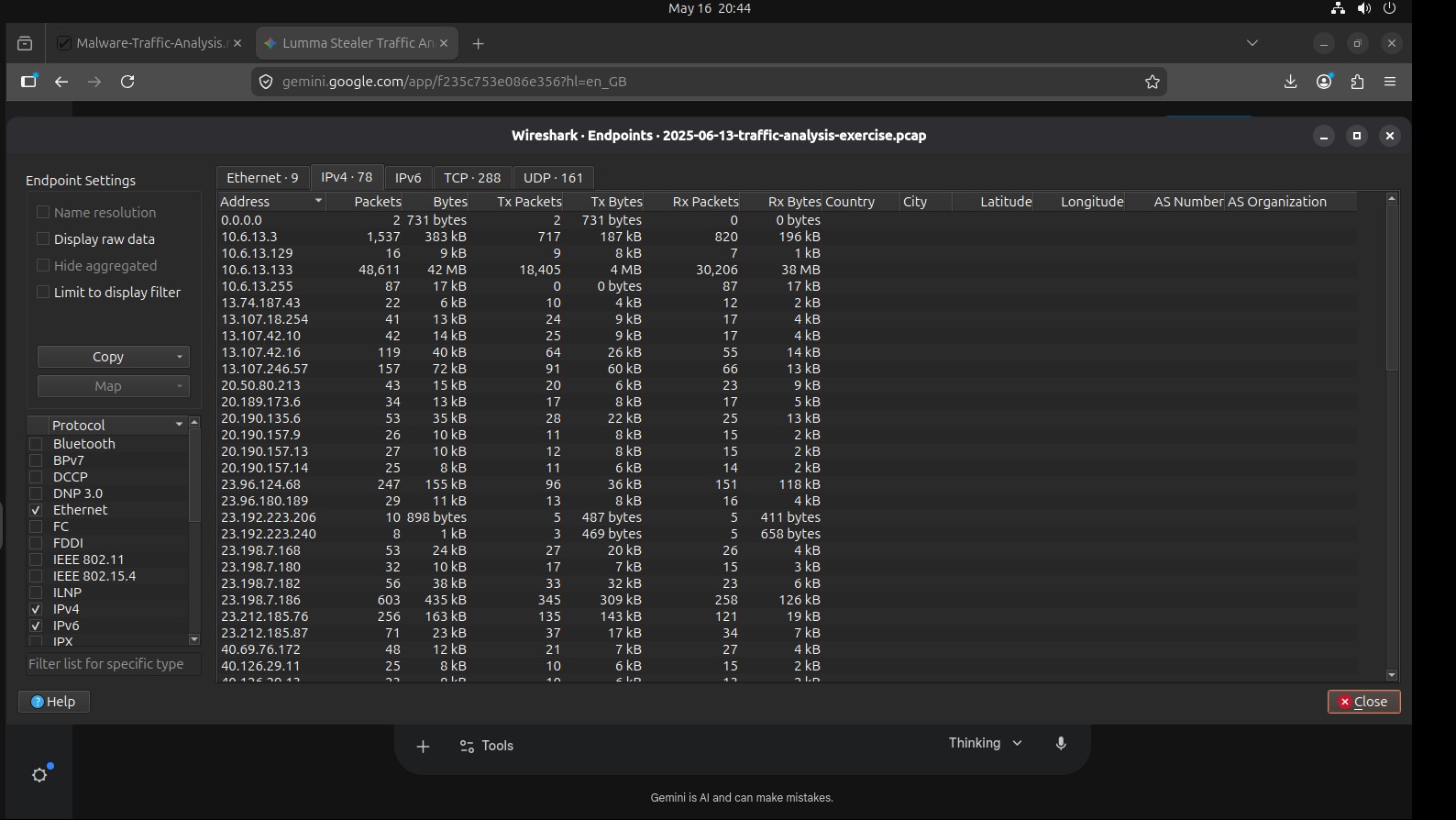
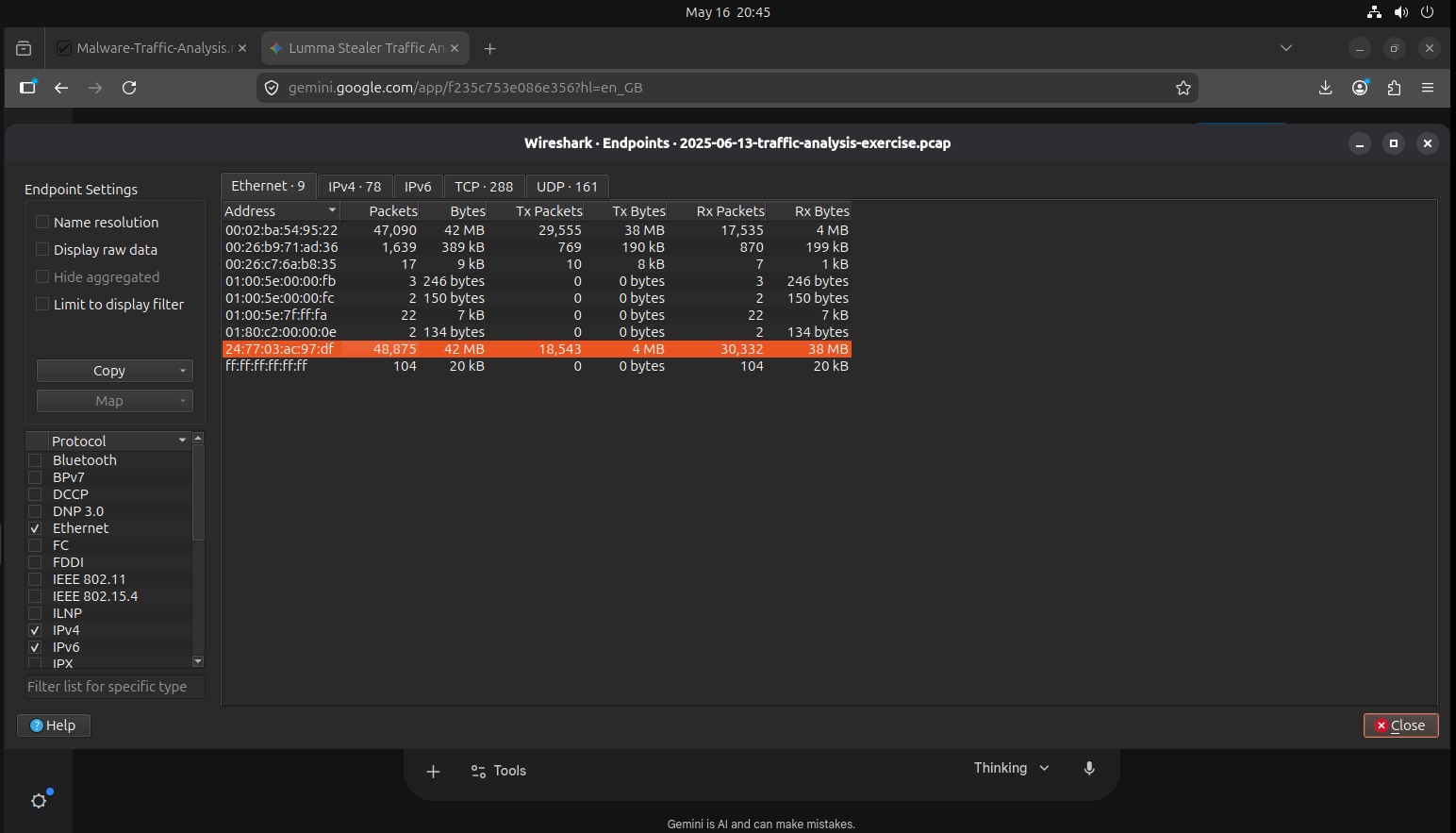
- Traffic triage: Used Statistics → Conversations and Endpoints to spot any hosts sending or receiving unusual amounts of traffic.
- Source identification: Narrowed things down to the internal IP that looked out of place and started digging through its traffic.
- Host attribution: Checked Ethernet frame headers to pull the MAC address of the suspect endpoint.
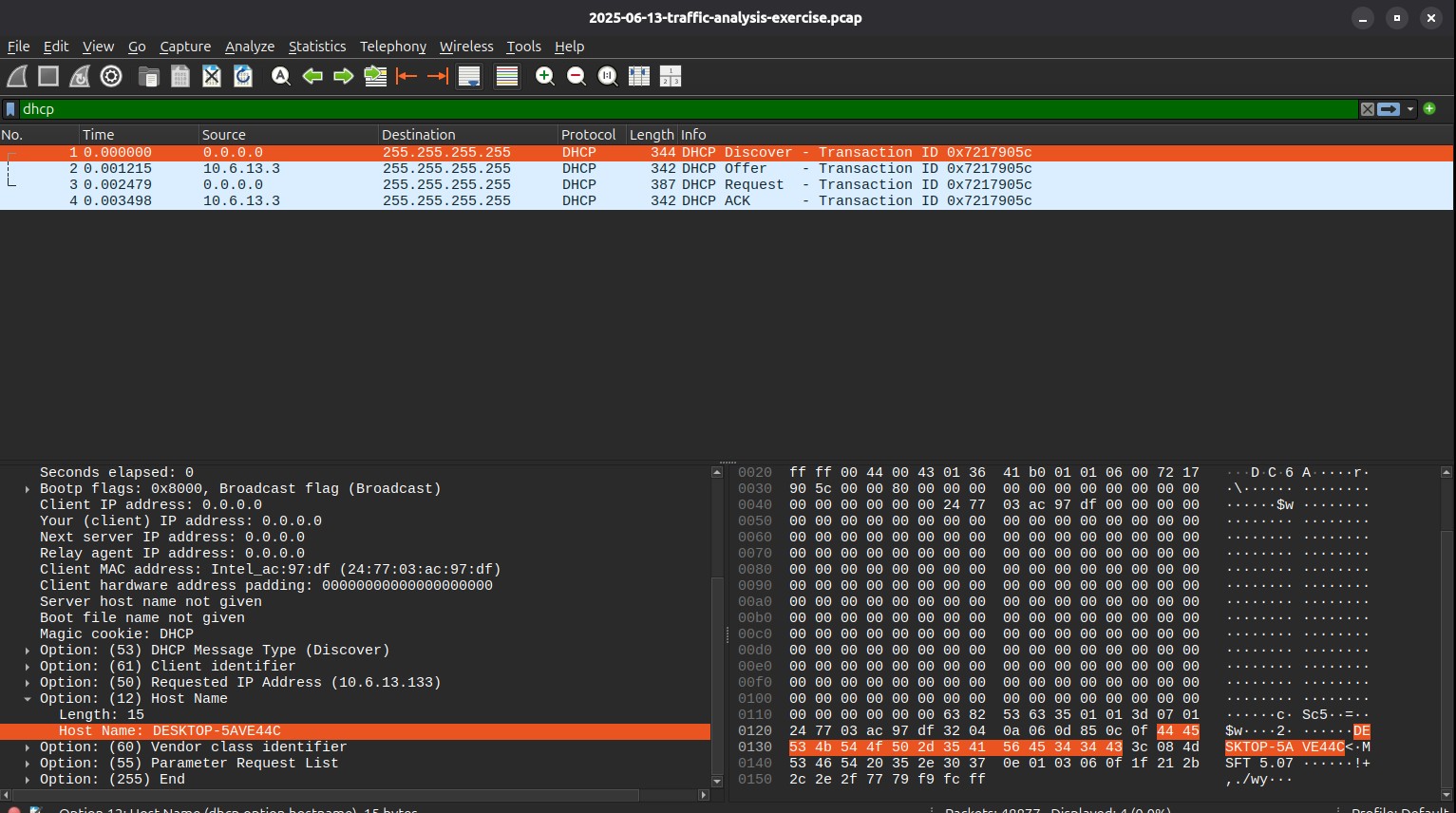
- Hostname recovery: Went through DHCP and NBNS packets to find the Windows hostname tied to that IP.
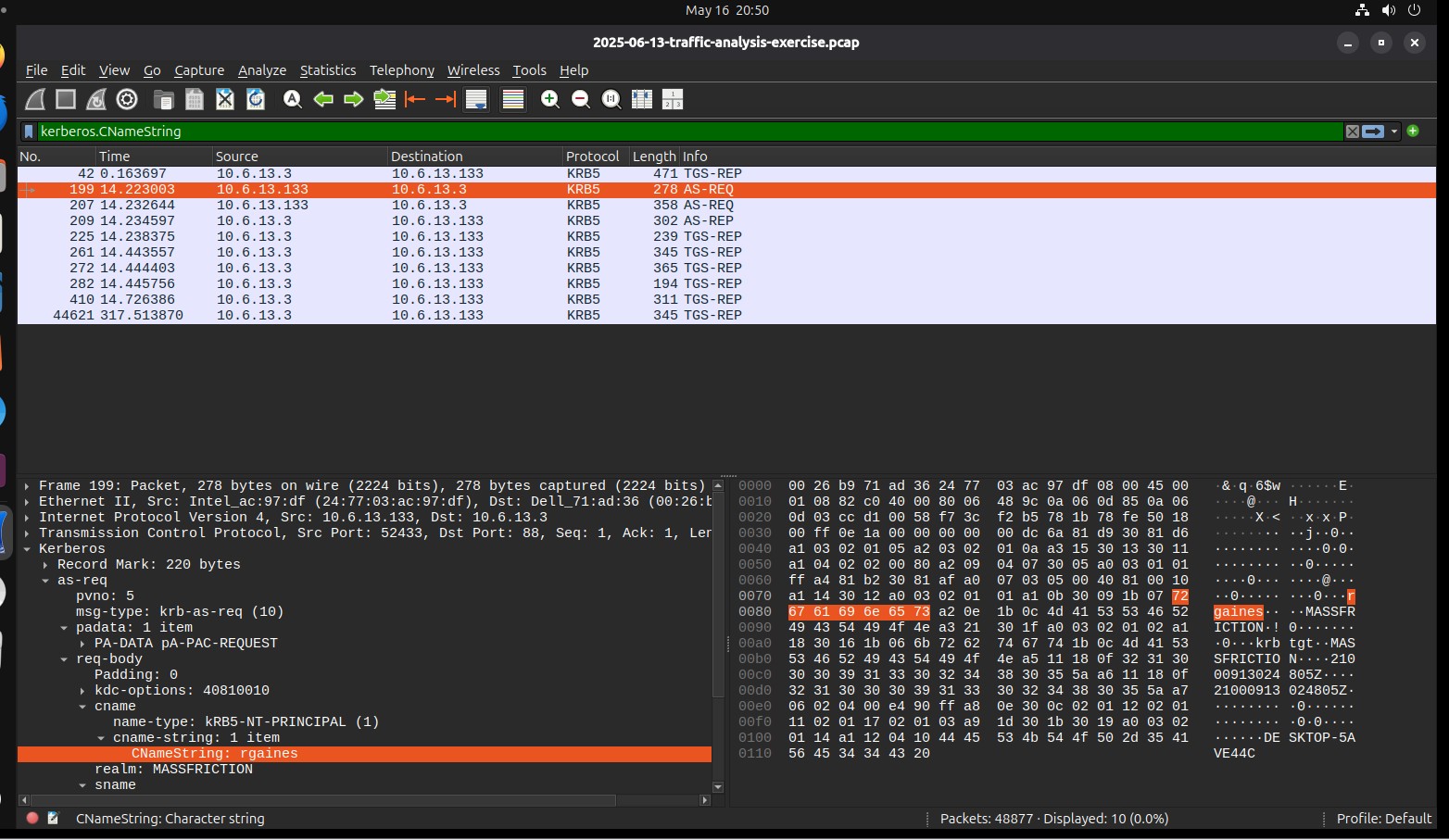
- User attribution: Looked at Kerberos and NTLM traffic to find the Windows account that was logged in.
- Evidence validation: Cross-checked everything against supplementary forensic artefacts that came with the capture to make sure the attribution was solid.
Key Findings
I was able to identify the compromised machine by pulling evidence from several different protocol layers rather than relying on just one indicator.
- Compromised host IP: 10.6.13.133
- MAC address: 24:77:03:ac:97:df
- Hostname: DESKTOP-5AVE44C
- User account name: rgaines
Rather than just going off traffic volume, I verified the host identity through DHCP hostname assignments, NBNS broadcasts, and Windows authentication protocols separately. Having multiple sources point to the same machine made the attribution much more reliable.
Tools & Techniques
- Wireshark for packet analysis
- Display filters: ip.addr, dhcp, kerberos, ntlmssp, nbns
- Statistics: Conversations & Endpoints analysis
- Follow TCP Stream for session tracing
- Protocol analysis: DHCP, NBNS, Kerberos, NTLM, Ethernet
- Forensic artefact correlation to validate findings
What I Learned
Doing this without any guidance was a good challenge. It pushed me to think more independently about where to look and how to connect different pieces of evidence. I came away with a much stronger understanding of host attribution and Windows authentication protocols, and a better sense of how SOC analysts actually approach a PCAP when they are triaging an incident.