Project Name
Network Traffic Analysis & Malware Investigation — Lumma Stealer Incident
One-line Summary
Analysed a packet capture from a live SOC alert to track down an infected Windows host communicating with a Lumma Stealer C2 server, and pulled out enough evidence to identify the machine and the user behind it.
Incident Background
A SOC alert fired on 2026-01-27 23:05 UTC with the signature:
It flagged suspicious outbound HTTP traffic going to:
A packet capture of the traffic was pulled for investigation. The goal was to figure out which machine on the network was infected, who was logged into it, and what the malware was communicating with.
Environment Overview
- LAN Range: 10.1.21.0/24
- Active Directory Domain: win11office[.]com
- AD Environment: WIN11OFFICE
- Domain Controller: 10.1.21.2 — WIN-LU4L24X3UB7
- Default Gateway: 10.1.21.1
Threat Overview
Lumma Stealer (also known as LummaC2) is an info-stealer sold as a service. It is typically spread through phishing or malicious downloads and is designed to grab things like:
- Browser credentials
- Session cookies
- Cryptocurrency wallets
- Saved authentication tokens
- System fingerprinting data
It communicates back to the attacker over HTTP, which helps it blend in with normal web traffic and avoid easy detection.
Investigation Objectives
- Find the infected internal host talking to the suspicious IP
- Get the machine's MAC address and hostname
- Work out which Windows user was logged in at the time
- Extract the malicious HTTP Host header
- Put together a timeline of what happened
- Document the IOCs for the containment team
Investigation Methodology
- Load the PCAP into Wireshark
- Filter traffic to and from the suspicious external IP
- Go through the HTTP streams and TCP connections
- Correlate the source traffic back to a specific internal host
- Pull host details from DHCP, NBNS, and authentication traffic
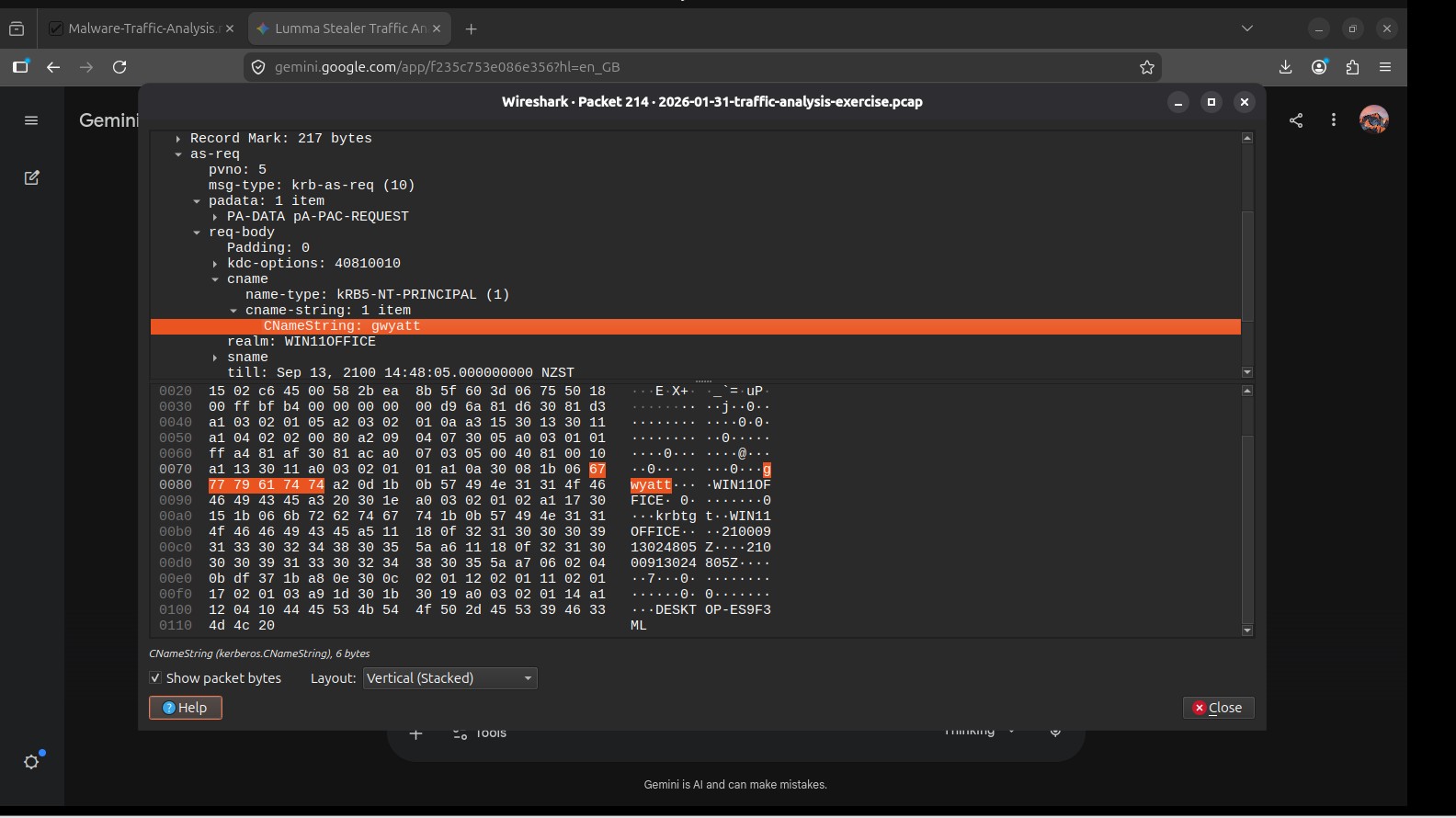
- Check Kerberos and NTLM packets for the user account
- Write up the network-based IOCs
Traffic Analysis
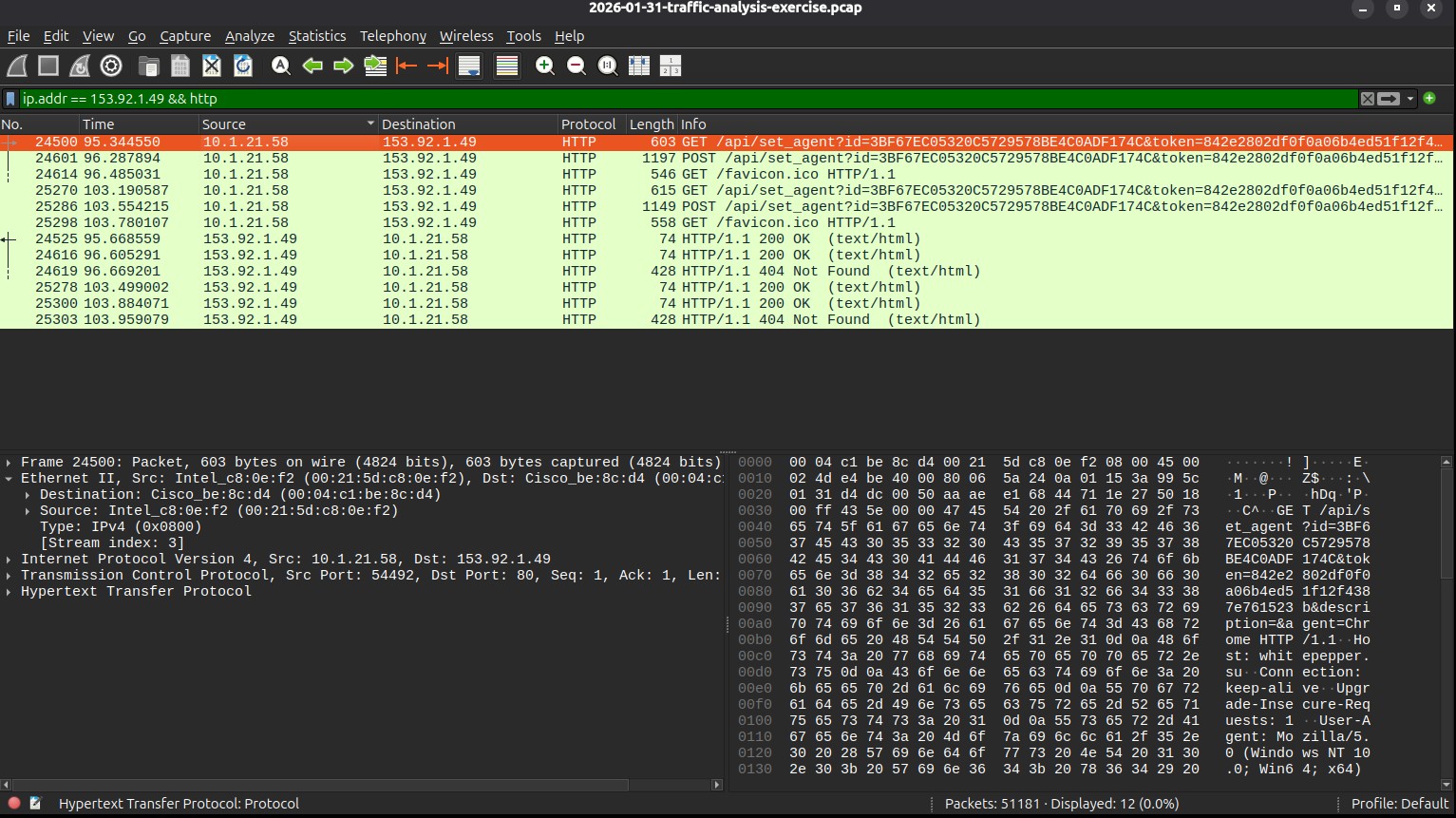
I started by filtering for the suspicious external IP:
That pointed me straight to the internal host making the connections:
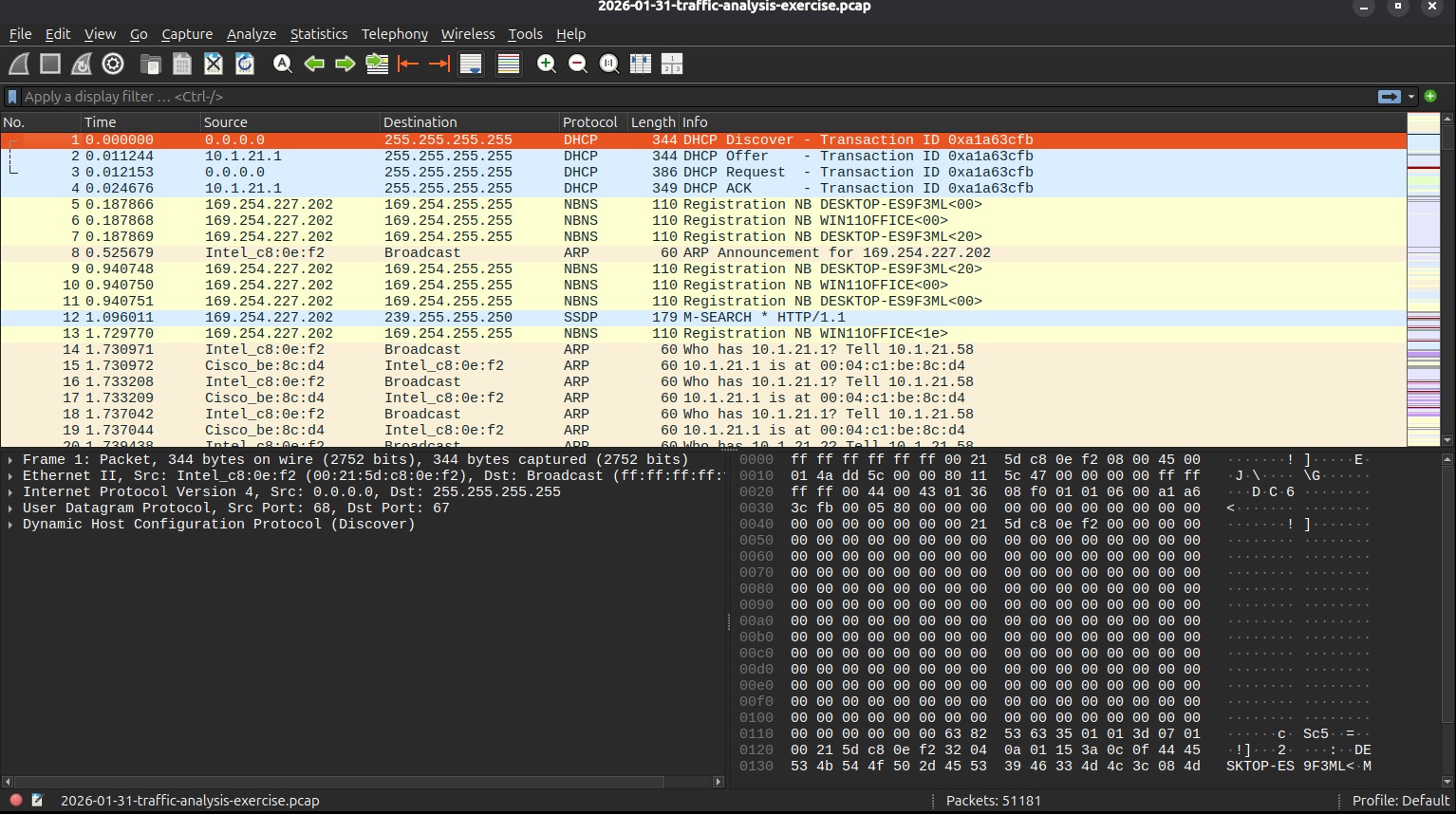
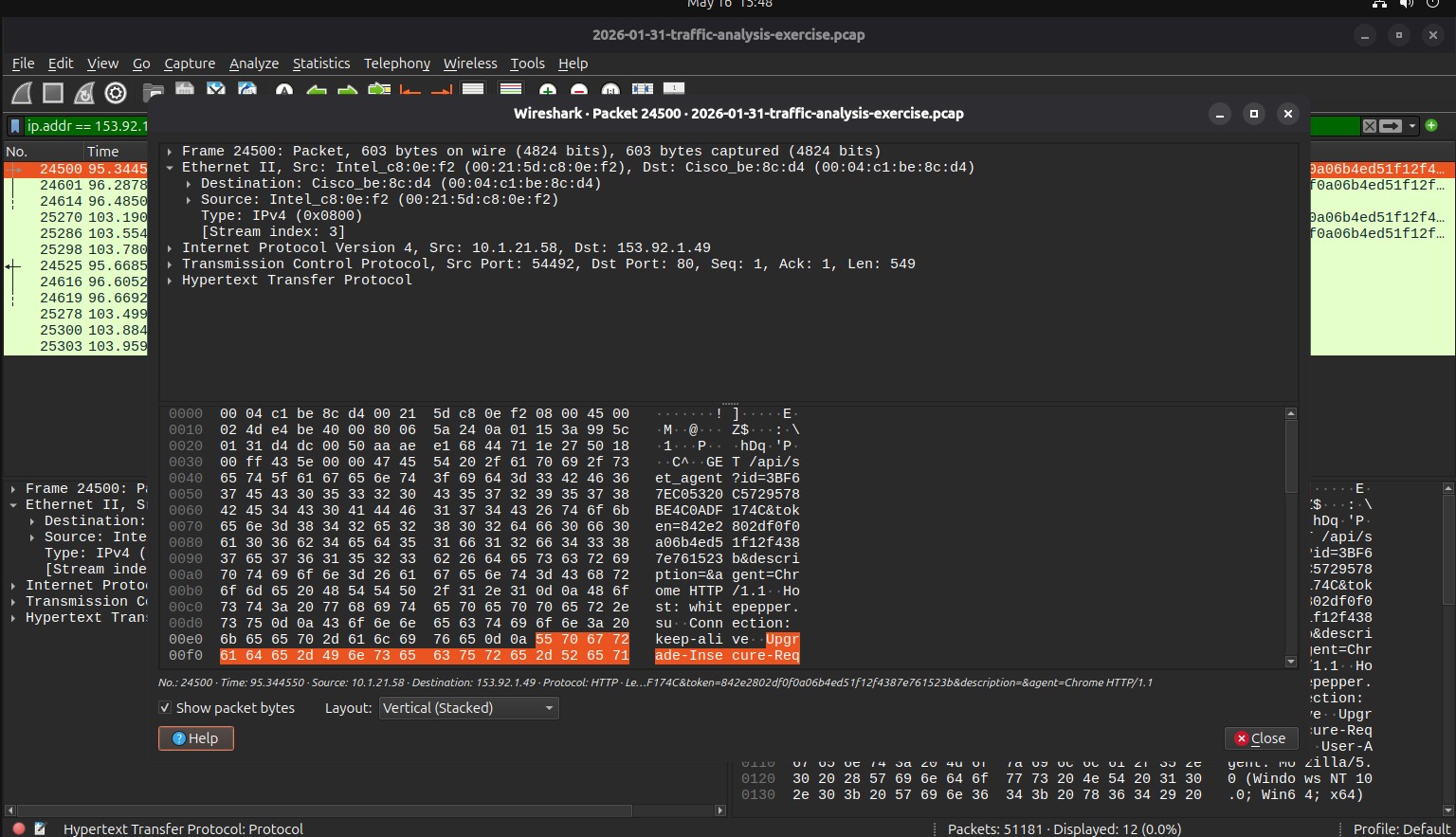
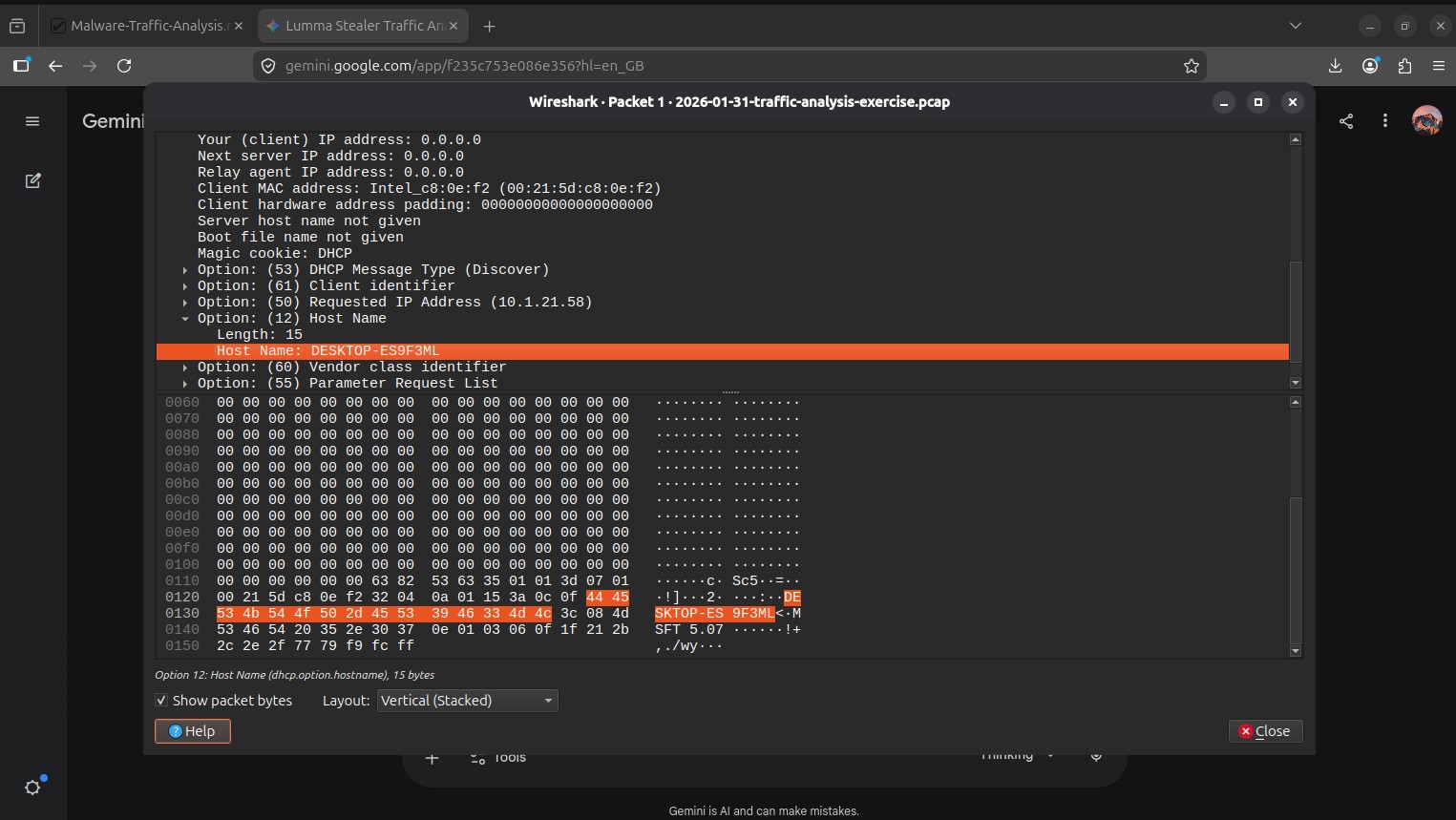
I looked at the Ethernet frame headers to pull the source MAC address, then went through the DHCP and NBNS traffic to find the hostname of the machine.
Kerberos and NTLM authentication packets in the capture gave me the Windows username and the full name of the person logged in at the time.
Using Follow TCP Stream, I was able to reconstruct the malicious HTTP request and see the Host header value that the Lumma Stealer sample was using to reach its C2 infrastructure.
Technical Findings
| Artefact | Finding |
|---|---|
| Compromised Internal IP | 10.1.21.101 |
| Suspicious External IP | 153.92.1[.]49 |
| Communication Protocol | HTTP (TCP/80) |
| Host Attribution | Recovered through DHCP/NBNS traffic |
| User Attribution | Recovered through Kerberos and NTLM traffic |
| Malware Activity | Lumma Stealer victim fingerprinting |
| C2 Infrastructure | Identified from malicious HTTP Host header |
Indicators of Compromise (IOCs)
- External IP:
153.92.1[.]49 - Suspicious outbound HTTP to an external server
- Lumma Stealer fingerprinting behaviour in the traffic
- Repeated beaconing patterns
Security Analysis
The traffic pattern made it pretty clear that this was active malware phoning home. What I found most interesting was that I could attribute the infection entirely from network traffic, without ever needing to touch the actual machine.
By combining a few different protocol sources:
- IP traffic
- Ethernet frame data
- DHCP broadcasts
- Kerberos authentication traffic
- HTTP request metadata
I was able to build a full picture of who was infected, on which machine, and what the malware was connecting to. It showed me how much information is hiding in a packet capture if you know where to look.
Recommended Response Actions
- Isolate the infected host — Pull the machine off the network straight away to stop further data going out or lateral movement happening.
- Block the malicious infrastructure — Add the IP and any identified domains to firewall and DNS blocklists.
- Reset the user's credentials — Force a password reset for the identified account and review their recent activity.
- Run endpoint forensics — Do a memory and disk analysis to find how the malware persisted and what it may have already stolen.
- Set up detection rules — Add IDS/IPS signatures for Lumma Stealer fingerprinting traffic so future infections are caught faster.
Tools & Techniques Used
- Wireshark
- Packet Capture (PCAP) Analysis
- Wireshark Display Filters
- Follow TCP Stream
- HTTP Traffic Analysis
- Kerberos & NTLM Analysis
- DHCP & NBNS Analysis
- Ethernet Frame Inspection
Key Skills Demonstrated
- Network Traffic Analysis
- Incident Response Triage
- Malware Investigation
- Host Attribution
- Threat Hunting
- IOC Extraction
- PCAP Analysis
- Windows Authentication Analysis
- SOC Investigation Workflow
This investigation taught me a lot about how much you can figure out from network traffic alone. Being able to identify a compromised machine and its user purely from a PCAP, without access to the endpoint itself, is exactly the kind of skill I want to keep building.